

A Google Business Profile can place your business in front of people who are actively looking for a nearby service. But creating the profile is only the beginning. Incomplete details, the wrong category, outdated hours or weak photos can make a real business difficult to understand — and easy to skip.
Google says local results are mainly based on relevance, distance and prominence. You cannot pay Google for a better organic local ranking, and no consultant can guarantee the top position. You can make your business easier for Google and customers to understand.
1. Verify the profile and protect access
Complete the verification process available for your business. Keep primary ownership under an account the business controls, preferably connected to a company email rather than a former employee’s personal account.
Add trusted managers individually instead of sharing one password. Review access when staff or agencies change. Record the recovery details in a secure place.
Verification confirms that you are authorised to manage the profile. It does not guarantee ranking, but it enables proper management and strengthens accountability.
2. Use the real-world business name
Enter the name customers see on your signage, website, invoices and other official material. Do not add suburbs, services, telephone numbers or promotional phrases unless they are genuinely part of the business name.
For example, a business called “Mokoena Electrical” should not become “Mokoena Electrical Best Electrician Johannesburg 24/7” merely to target keywords. Inaccurate naming can confuse customers and may breach Google’s business-representation guidelines.
Consistency also makes your wider online presence easier to understand. Use the same core name on Find At Home, your website and relevant profiles.
3. Choose the most accurate primary category
The primary category should describe what the business is, not everything it might sell. A plumber should normally choose the closest plumbing category rather than a broad home-services label simply because it sounds larger.
Add secondary categories only where they accurately represent substantial parts of the business. Do not select unrelated categories to appear in more searches.
Review the choice when the business model changes. Category options can change over time, so choose from the categories Google currently provides rather than forcing keywords into other fields.
4. Complete the contact, location and service-area details
Make it easy for a customer to answer four questions:
- What does this business do?
- Where does it operate?
- When is it open?
- How can I contact it?
Add the correct phone number, website, hours and relevant attributes. Update public-holiday or special hours before customers travel or call.
If customers visit your premises, the address should be accurate and eligible to display. If you travel to customers and do not serve them at your address, use the service-area options that match Google’s current rules. Do not display a residential address simply to create a false storefront.
Google’s own local ranking guidance recommends complete and accurate business information, including address where appropriate, hours and category.
5. Write a useful business description
The description should help a person decide whether to contact you. Start with the main service, audience and area. Then explain important specialities or differentiators that can be verified.
A practical structure is:
[Business name] provides [main services] for [customer type] in [area]. We specialise in [two or three relevant strengths]. Customers can contact us for [booking, quote or visit process].
Avoid claims such as “number one”, “guaranteed cheapest” or “best in South Africa” unless you have defensible evidence and the claim complies with applicable policies.
6. Add services and products accurately
List the services customers actually search for, using clear names and short explanations. A plumber might separate leak detection, blocked drains and geyser services rather than repeating “professional plumbing” several times.
Use prices only when they are meaningful and maintainable. If the final price depends on inspection, state that clearly instead of publishing a misleading fixed figure.
Keep this information consistent with your website and Find At Home listing. Each platform can use a different format, but the facts should agree.
7. Upload real, useful photographs
Customers use photographs to judge whether a business looks current and relevant. Upload clear images of:
- the exterior and entrance, where customers visit;
- the working environment;
- the team, with permission;
- completed work;
- key products or services; and
- details that help customers prepare for a visit.
Use real images wherever possible. Avoid misleading stock photos, heavy filters, watermarks that obscure the subject and photos unrelated to the listed location.
Add new photos when the premises, team or offering changes. A smaller collection of accurate images is better than a large gallery that creates the wrong expectation.
8. Build a genuine review process
Ask real customers for honest feedback after a completed service or purchase. Google provides a review link or QR code that can be shared in a thank-you message, email or on a receipt.
Do not offer discounts, gifts or payment for reviews, and do not ask only customers you expect to give five stars. Google’s policy prohibits incentivised reviews and selective solicitation intended to manipulate ratings.
Respond professionally to both positive and negative reviews. Our guide to getting more customer reviews without breaking trust gives you a repeatable process and message templates.
9. Connect the profile to a useful website page
The website link should take the customer to a fast, mobile-friendly page that confirms the business, service and contact options. Avoid a broken page, generic social profile or page with contradictory details.
The website should include:
- clear services;
- location or areas served;
- call and WhatsApp options;
- opening hours where relevant;
- evidence such as projects, qualifications or genuine testimonials; and
- a simple next step.
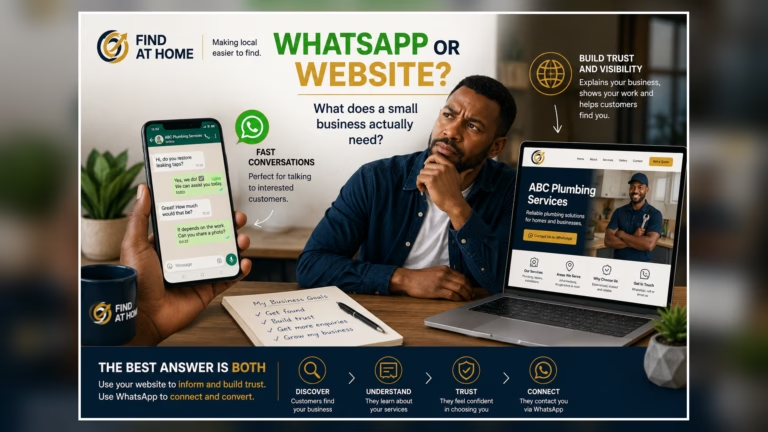
A strong Business Profile and a strong website support one another. Learn the wider foundation in our local SEO starter guide.
10. Measure customer actions and improve the weak point
Review the performance information available in your profile. Instead of chasing impressions alone, look at useful actions such as calls, website visits, direction requests or bookings where available.
If people view the profile but rarely contact you, inspect the customer journey:
- Is the phone answered?
- Is the website clear on mobile?
- Are service areas obvious?
- Do photos match the service?
- Are reviews current and handled professionally?
- Is the next step easy?
Make one meaningful improvement at a time and monitor the result. Do not repeatedly change the business name or category merely to provoke ranking movement.
Google Business Profile monthly checklist
Once a month:
- confirm hours and contact details;
- review new customer questions and reviews;
- add one or two useful current photos;
- check website and booking links;
- update services when offerings change;
- remove outdated information; and
- review customer actions and missed enquiries.
Frequently asked questions
Can I pay Google to rank my Business Profile first?
Google states that there is no way to request or pay for a better organic local ranking. Advertising is separate. Organic local results are mainly based on relevance, distance and prominence.
How long does Google Business Profile optimisation take?
There is no guaranteed timeline. Accurate information can improve the profile immediately for customers, while visibility changes depend on competition, location, relevance and wider online signals.
Should I add every available category?
No. Choose the most accurate primary category and only genuinely relevant secondary categories. Irrelevant categories can misrepresent the business.
Can an online-only business create a Google Business Profile?
Google’s eligibility guidance generally requires in-person contact with customers during stated hours, whether at a storefront or by travelling to customers. Review the current official rules for your model.
Strengthen your wider local presence
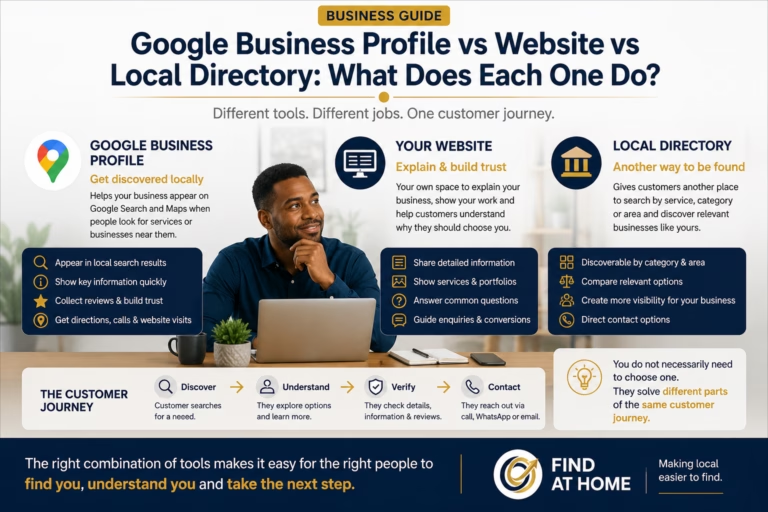
Your Google Business Profile is important, but it should not stand alone. Customers may also compare your website, directory profiles and reviews before making contact.
Create or improve your Find At Home listing so customers can find accurate business information and contact you directly.
Google product features and policies can change. Check the current Google Business Profile Help documentation before making material profile changes.